Adidas · Authentication
NMD R1: real vs fake
The NMD R1 is recognized by its colored EVA “bumper” plugs on the Boost sole, and those plugs are what most often give a rep away. Check their shape and color, the Boost texture, and the upper (Primeknit or mesh, depending on the release). Photograph the sole and upper – LegitCheck AI compares the zones and tells you whether it’s real.
What to check on the NMD R1
Model-specific zones – on top of the brand-level signs.
EVA bumpers (plugs)
The colored EVA plugs on the sole have the correct shape, clean edges, and accurate color blocks, seated tightly in the midsole on retail. On fakes the bumpers are misshapen, the wrong shade, with gaps or shifted color blocks.
Boost midsole
The Boost midsole is compressed TPU pellets with a dense, slightly irregular texture. Reps give away a too-smooth foam-like Boost or sparse large pellets in a different shade.
Upper: Primeknit or mesh
The NMD R1 comes in both Primeknit and mesh – identify the version against release photos first. On Primeknit, judge the weave density and the density zones; on mesh versions, judge how even and tight the mesh is with no stray threads. Either way, fakes give away a loose or uneven upper, stray threads, and a blurry pattern.
Heel area and branding
On the NMD R1 the lateral upper is deliberately clean – the three stripes are never bulky overlays: on Primeknit versions they are knit into the fabric, and on mesh versions they are a tidy bonded or stitched band, staying subtle either way. Check the even heel counter, the tidy pull tab, and the crisp heel branding. Reps give away coarse, overly prominent stripes, a crooked heel, and smeared print.
Insole, tag and box
The insole print is sharp, the sewn-in tag has the correct “adidas” font and a colorway-matched article number, and the data matches the box. On fakes the codes and font don’t align and the insole is glued unevenly.
Where to inspect
The key zones to photograph and check on this type of item – a schematic, not a product photo.
- 1Logo shape and placement
- 2Toe box and upper shape
- 3Heel counter and tab
- 4Midsole and stitching
- 5Tongue and size tag
The difference is in the details – drag the slider
Typical differences in workmanship: stitching consistency, edge finishing, detail quality. Left – factory quality, right – common replica flaws.
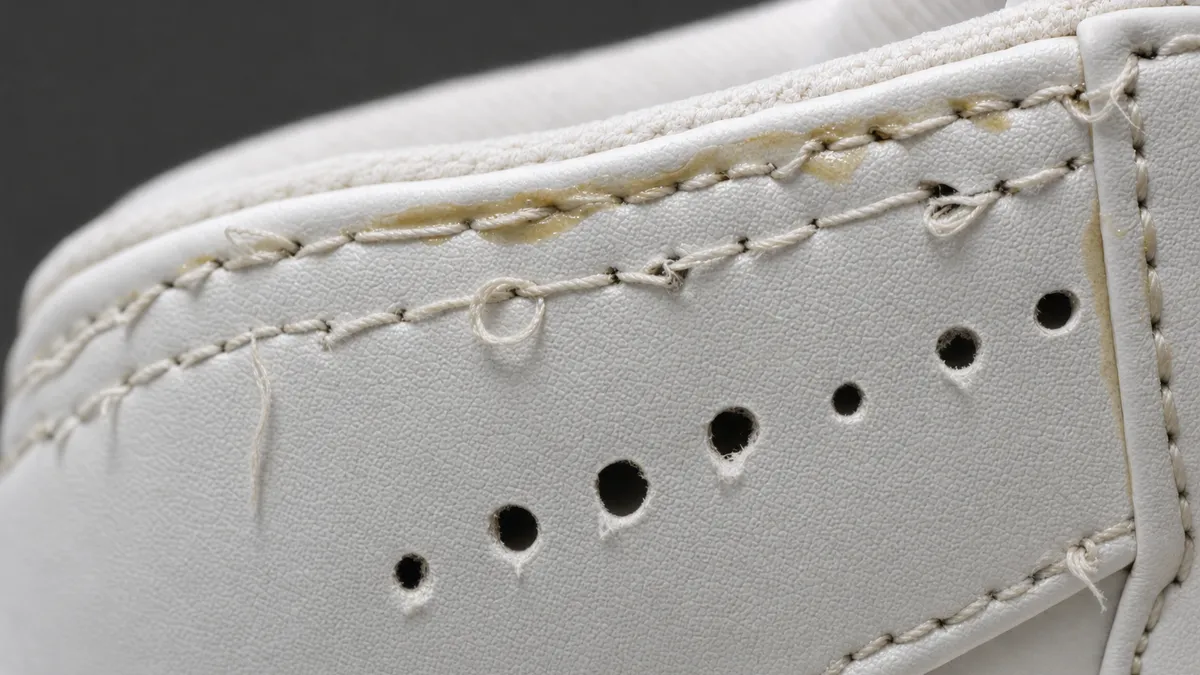 Replica
 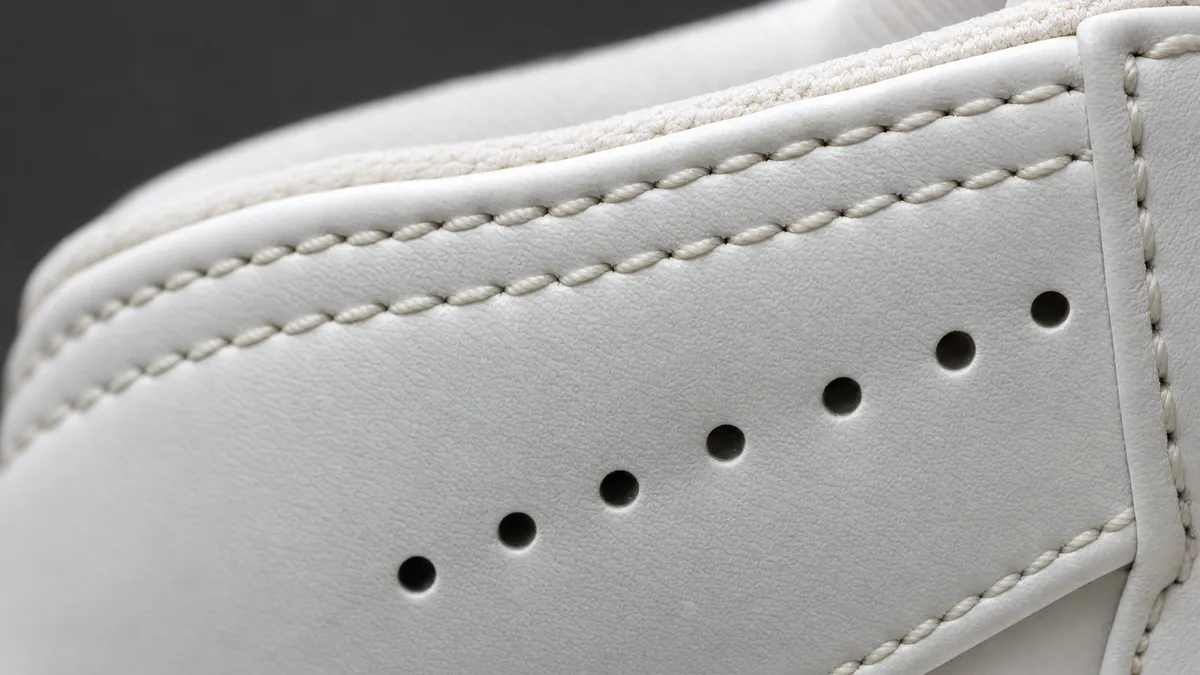 Authentic
 Photo angles for the check
- 1 Overall view
- 2 Logo
- 3 Interior tag
- 4 Outsole
- 5 Box label
Check your NMD R1 right now
Snap photos of your item and get an AI verdict with a confidence score in about a minute.
FAQ
What are the colored inserts on the NMD R1 sole?
They’re the EVA “bumper” plugs – a signature detail of the silhouette. On retail they’re correctly shaped with accurate color blocks and a tight fit; misshapen bumpers in the wrong shade with gaps are a rep tell.
How do I check the Boost on an NMD R1?
Real Boost is compressed TPU pellets with a dense, slightly irregular texture. A too-smooth foam-like midsole or sparse large pellets in a different shade of white points to a fake.
Can an NMD R1 be authenticated from photos?
Yes. The bumpers, Boost, upper, and heel all show clearly. Shoot the sole in profile plus close-ups of the upper and heel – LegitCheck AI compares the zones and returns a verdict with a confidence score.
More Adidas models
Other sneakers brands
Check another brand in this category: